Robotics & Embedded Systems Engineer · Ingolstadt, Germany

Osama Altalmas

I take robots from algorithm to a tested, safety-aware system — autonomous mobile robots and manipulators in ROS 2 with C++ and Python, with AI perception built in and embedded hardware underneath.

Portrait of Osama Altalmas
3–7 mm
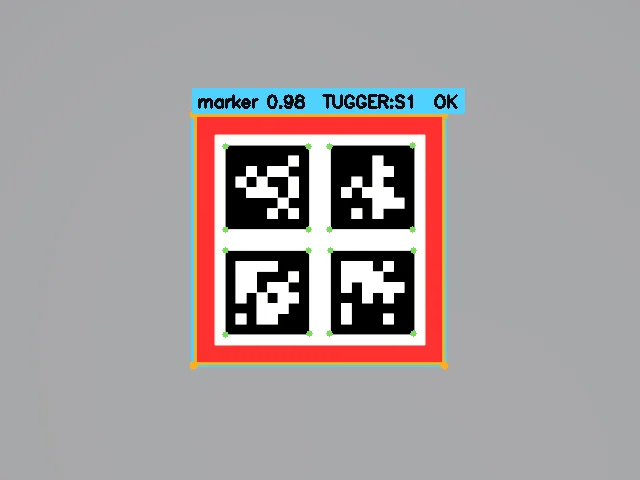
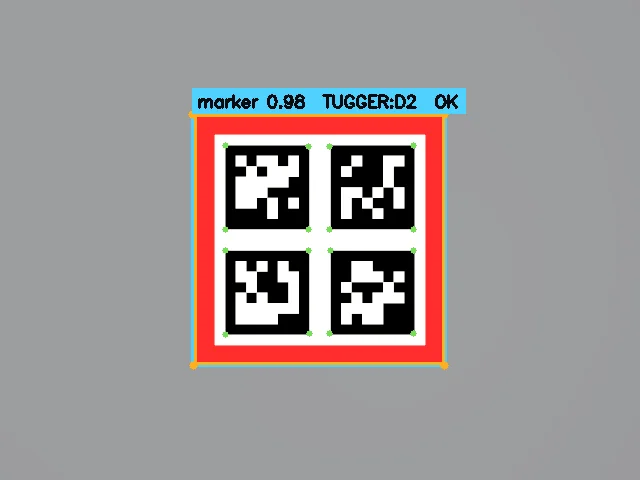
AMR docking error with a learned floor-marker reader
0 / 401
wrong stations on held-out damaged markers (synthetic training and test images)
73.5 %
less computation than RRT* (M.Sc. thesis, published)
1st
ranked in M.Sc. Robotics & AI, GPA 3.92/4.00 (German: 1.1)
Experience

Where I worked.

  1. Embedded Systems & IoT Engineer (internship)

    FreshNow · Dubai, UAE

    First engineer of the company’s embedded/IoT work. Led a four-engineer team to the smart tray prototype in two months; presented progress to management and investors.

    See project 03 →
  2. Embedded Hardware & Firmware Engineer (internship)

    Infinix Innovations · Dubai, UAE

    Four interactive exhibition installations with Arduino/ESP32-S3 firmware, sensors, motors and RFID. An encoder-tracked rotating wheel that drives LED video-wall content. On-site engineer for the week-long exhibition.

About

Education & skills.

  1. M.Sc. Robotic Technologies & Artificial Intelligence

    Bahçeşehir University, Istanbul · ranked 1st, GPA 3.92/4.00 (German: 1.1)

  2. B.Sc. Mechatronics Engineering

    Bahçeşehir University, Istanbul

Programming

C++17, Python, MATLAB/Simulink, Linux, Git, colcon, pytest

ROS 2 & navigation

Nav2 plugins, ros2_control, AMCL, SLAM, TF2, RViz, Gazebo Sim

Planning & control

RRT / RRT*, Reeds-Shepp, path tracking, kinematics & IK, PID

Perception & AI

YOLO11 detection & pose, OpenCV, synthetic data generation, model training on cloud GPUs (Colab, Kaggle)

Hardware

ESP32-S3, sensors & encoders, PCB design (EasyEDA), SolidWorks

Languages

Arabic (native), English (C2), Turkish (B2), German (A2, learning)

Selected projects

Five robots, one way of working:
build it, test it, measure it.

01 · Mobile robotics · AI

Autonomous warehouse AMR

Custom Nav2 planners and controller, AI docking to 3–7 mm, YOLO obstacle recognition, ISO 3691-4-oriented safety.

Open project →
02 · Manipulation

Robotic sorting cell

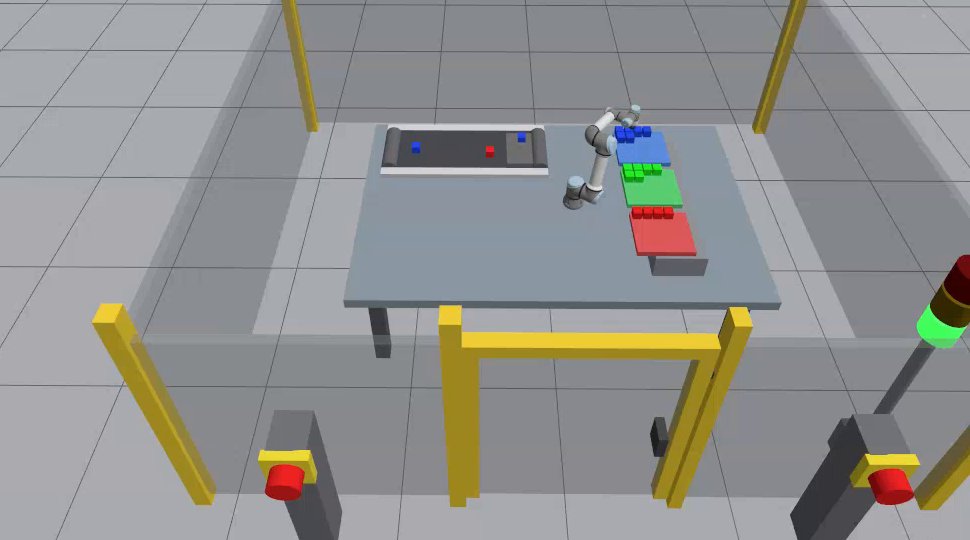
UR5e colour sorting with camera vision, MoveIt and a PNP-monitored safety door.

Open project →
03 · Embedded · IoT

Smart shelf tray

ESP32-S3, load cells and switches, Wi-Fi heartbeat to the backend.

Open project →
04 · Control

Self-balancing robot

B.Sc. thesis: inverted pendulum model and PID on the real robot.

Open project →
05 · Research

Improved RRT planning

M.Sc. thesis: 73.5 % faster than RRT*, simulated on an OpenManipulator-X model.

Open project →

01

Mobile robotics · AI · Mar 2026 – now

Autonomous warehouse AMR

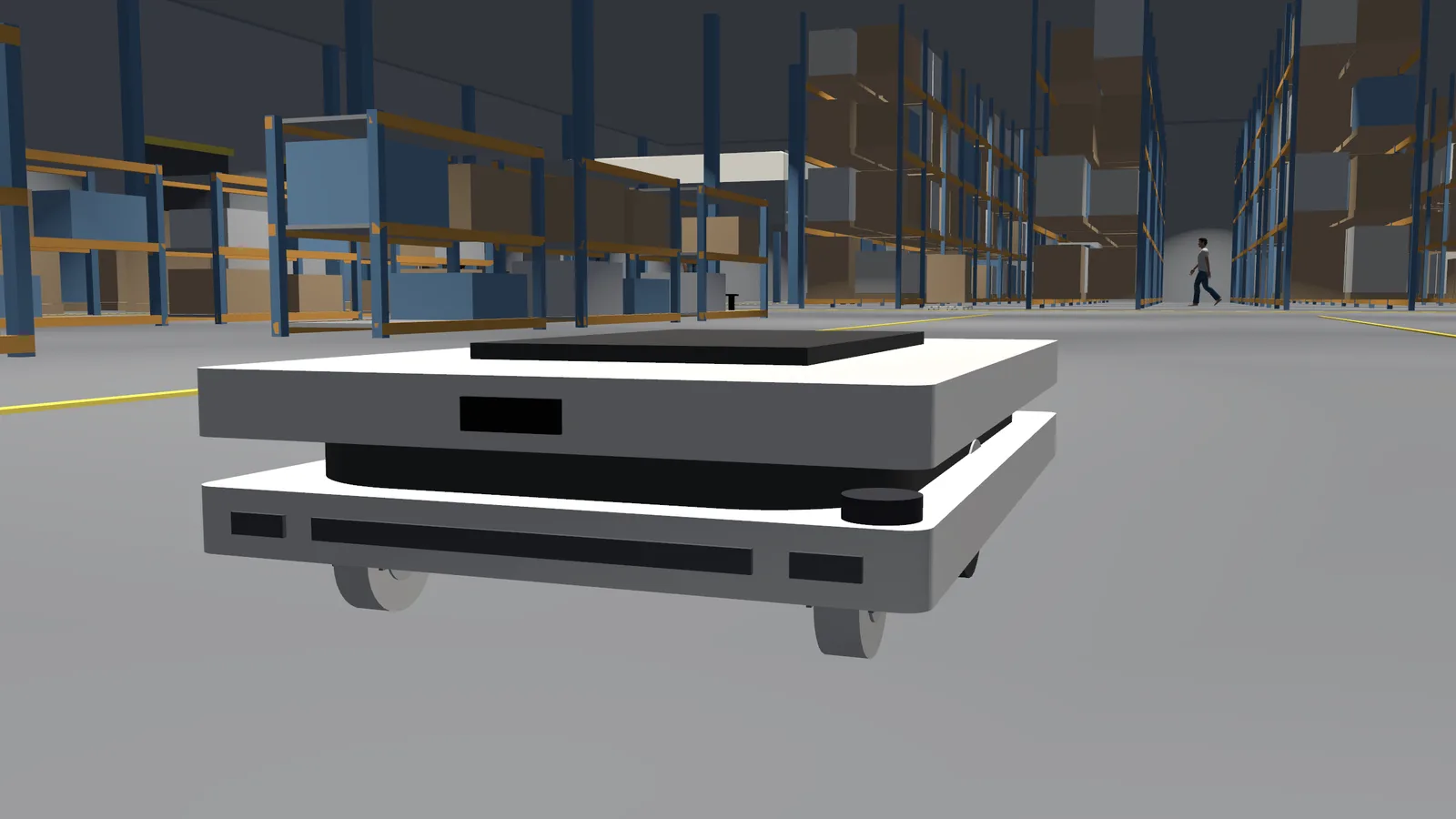
A robot that drives a route network, docks under cargo, lifts it and delivers — built alone, end to end, and verified in simulation with fault injection.

  • ROS 2
  • Nav2 plugins (C++)
  • Gazebo Sim
  • YOLO11
  • AMCL
  • ISO 3691-4

The AI perception (V3) is closed source; demo on request.

01 · Warehouse AMR

It wakes up
and gets to work.

Mission · leg 1

Own Nav2 planners and controller, driving the approved paths.

AI · obstacle recognition

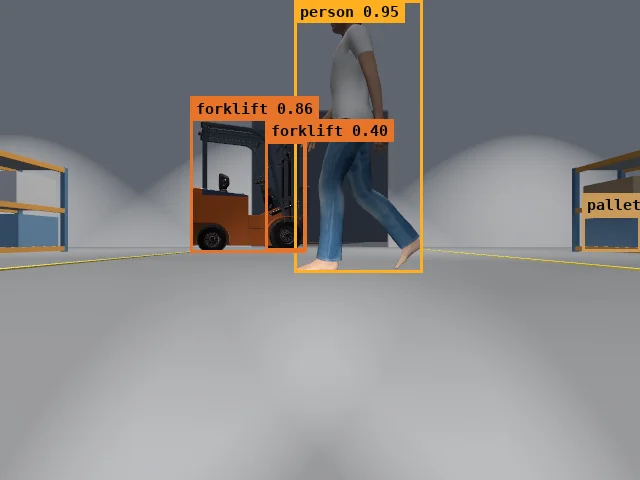
A person crosses. The camera model says person — stop and wait.

Clear again

It carries on to Station 1.

Docking · Station 1

The downward camera reads the AprilTag; it docks to 3–7 mm under the cargo.

Pickup · leg 2

Lifts the cargo and leaves rear-first by the gate it came in — no turn needed.

AI · static obstacle

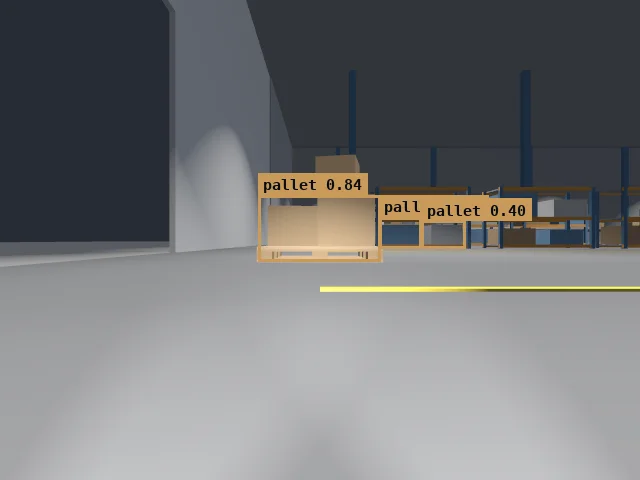
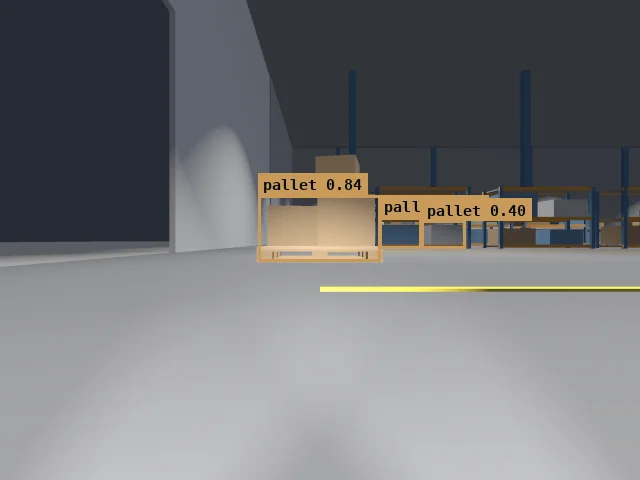
A pallet in the lane. It stops 3.2 m before it and waits 5 s.

Replan & go around

The path bends around the pallet, 0.5 m clear of the cargo edge, and rejoins the route.

Drop-off · Station 2

Docks on the next tag and lowers the cargo onto the stand.

Warehouse AMR

Nav2 · AI vision · precision docking.

0:00 / 0:25
Mission · 62 m, 3 saved paths

HOME → Station 1 pickup → Station 2 drop-off → HOME. Every leg is a preplanned, approved path between station gates.

AI · obstacle recognition

A person steps into the corridor. The front camera runs a YOLO model trained on simulation and real photos: a person means stop and wait.

Station 1 · pickup

Precision docking on the AprilTag to 3–7 mm, cargo ID read from below, then lift.

Loaded leg

Leaves by the same gate it entered — the route network enforces it.

AI · static obstacle

A pallet left in the lane. The camera model identifies it as a pallet — static, so the planner computes a detour with a safe margin.

Avoid & rejoin

It follows the detour around the pallet and rejoins the preplanned path right after it.

Station 2 · drop-off

Docks again, lowers and detaches the cargo.

Back to HOME

Mission complete — the next one starts from the measured final pose.

  1. HOME → Station 1 — preplanned path; stops for a person recognised by the front-camera AI.
  2. Station 1 · pickup — docking to 3–7 mm on the AprilTag, cargo ID check, lift.
  3. Station 1 → Station 2 — loaded; a pallet in the lane is passed on a planned detour.
  4. Station 2 · drop-off — lower and detach.
  5. Back to HOME — 62 m on three approved saved paths.

What I built

  • Custom Nav2 plugins in C++: RRT* planner with Reeds-Shepp curves, bidirectional planner, curvature-tracking controller.
  • YOLO11 floor-marker reader trained on synthetic samples: Gazebo images of the floor markers, damaged in software (worn, dirty, covered).
  • YOLO obstacle detector trained on Gazebo and real photos: person, pallet, cart, forklift.
  • Fail-closed safety layer: protective/warning fields, latching e-stop, stale-sensor stop.

How it was proven

  • 3.0–6.6 mm docking error against a 10 mm / 1° target.
  • 0 wrong stations on 401 held-out damaged markers (synthetic test images, like the training data).
  • Fault-injection tests on every safety function.
  • Validation campaigns of 20 clean missions in a row.

Robot and warehouse images are visualizations rendered from the Gazebo simulation. Scene models “Forklift” and “pallet_jack” by Cole Biesemeyer and “MaleVisitorOnPhone” by Wan Yi Seow (Open Robotics, Gazebo Fuel), CC BY 4.0.

02

Manipulation · machine safety · 2026

Robotic sorting cell with safety fence

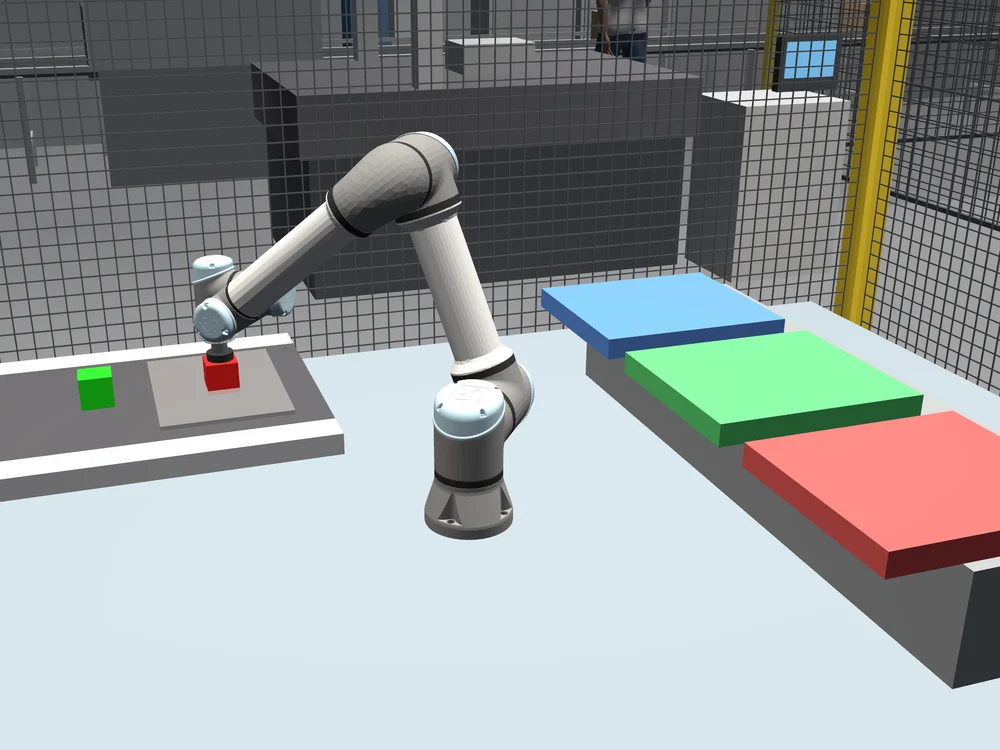
A UR5e sorts red, green and blue boxes from a conveyor into matching bins, inside a fenced cell whose door is watched by four PNP sensors and a safety supervisor.

  • UR5e
  • ROS 2
  • MoveIt
  • OpenCV
  • Gazebo
  • Safety states

02 · Sorting cell

It sees the colour.
It sorts the box.

Feeder line

Fed from the line, one box at a time.

Vision

The camera finds the box by colour and gives its position in world coordinates.

Pick

MoveIt plans the move; suction picks the box.

Door opened

Four PNP sensors lose their targets — 0000. Protective stop.

Stopped

The robot holds the box; yellow blinks.

Door closed

1111 again — but the stop stays latched.

Reset · resume

Reset, resume, and the box goes into its bin.

0:00 / 0:25
The original Gazebo simulation of the sorting cell
Original sim The cell as it runs in my Gazebo world, with its safety panel.

What I built

  • The whole cell in ROS 2 + Gazebo: UR5e with suction gripper, conveyor, camera, three bins, fence with a hinged door, E-stop and stack light.
  • Colour detection with OpenCV (HSV), and the camera ray intersected with the conveyor plane to get each box in world coordinates.
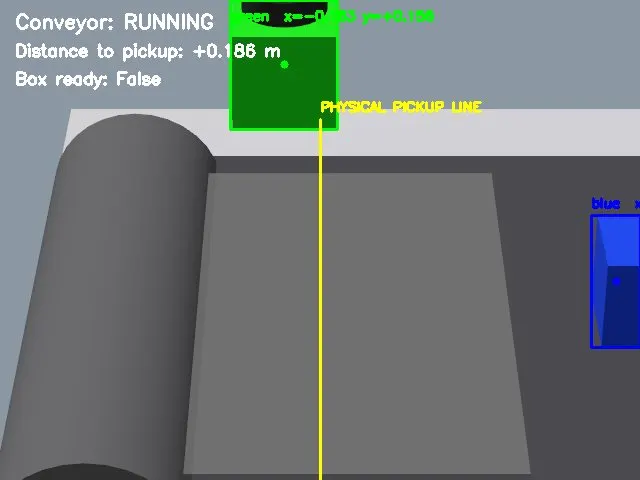
  • Conveyor control in the detector: stop at the pickup line, wait for the box to settle, restart only after several clear frames.
  • One persistent sorting coordinator on MoveIt for all colours, with the next pickup IK prepared in parallel. (V1 used my own least-squares IK; V1.2 moved to MoveIt.)
  • A safety supervisor with an operator panel in Gazebo.

How the safety works

  • Four states with a fixed priority: E-stop > protective stop > pause > running.
  • The door is watched by four PNP proximity sensors at different heights; only 1111 counts as closed, and lost signals count as open (fail-safe).
  • Opening the door ramps the speed to zero over 1.5 s; the E-stop cuts it at once.
  • Reset is refused while the door is open; after reset the cell waits paused until Resume.
  • Stack light: green running, yellow paused, blinking yellow protective stop, red E-stop.

Scenes are a Gazebo replay of one recorded run of the real system (V1.2): robot motion, boxes, door, sensor states and camera images are recorded data. The production hall, feeder machines and tunnel guard are scenery added for this visualization; feeder boxes are shown riding in before the real feeder releases them at the cell conveyor.

03

Embedded · IoT · internship, Jan – Feb 2026

Smart shelf tray

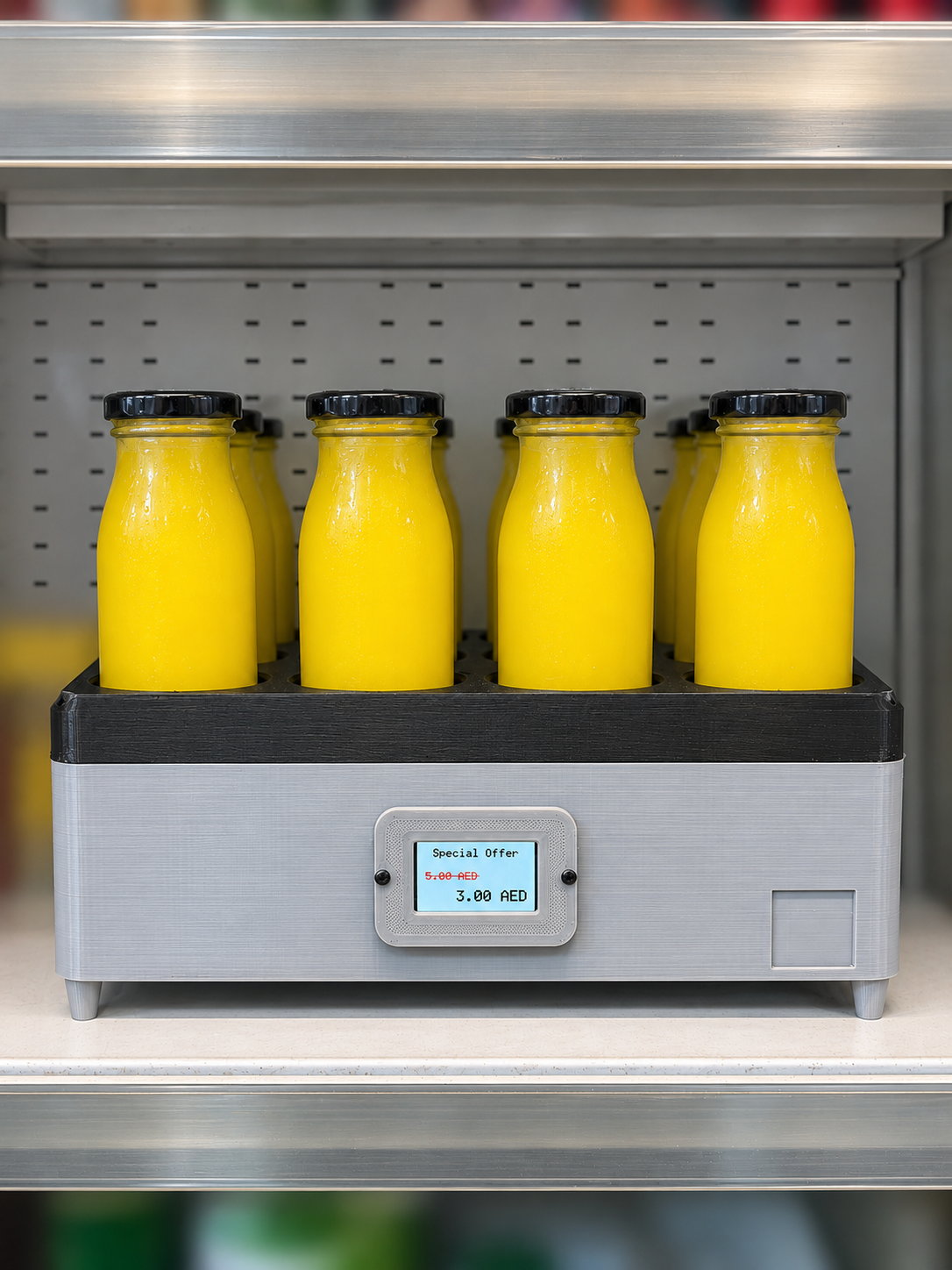
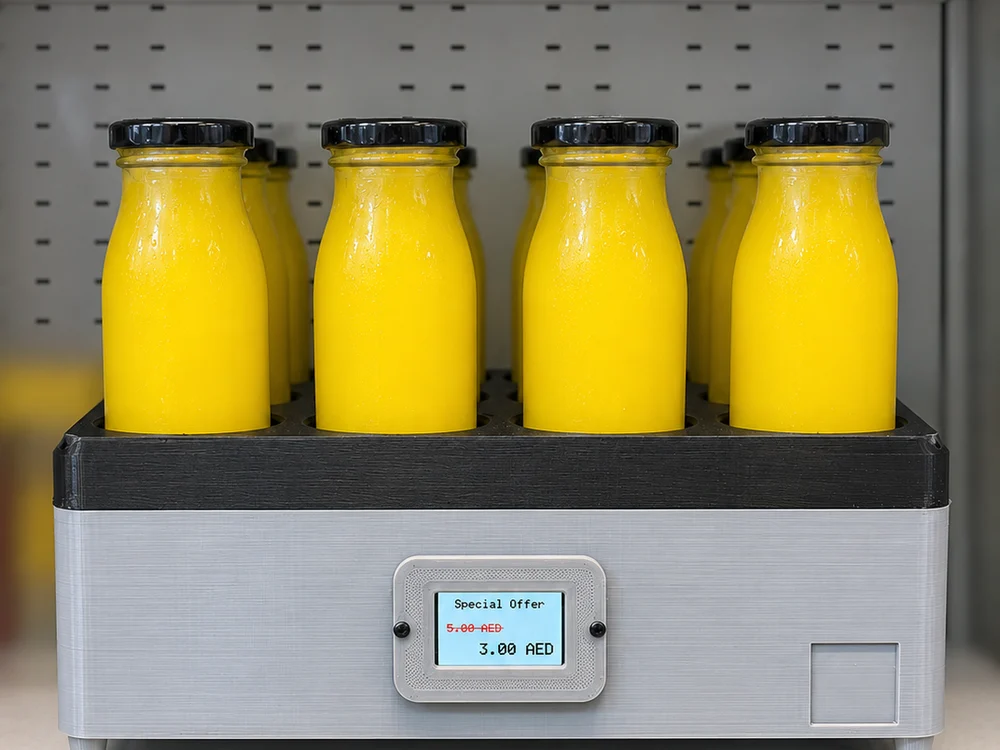
A fridge tray that knows how many bottles it holds and how cold they are, and reports it to a backend over Wi-Fi. I led a four-engineer team to a working prototype in two months.

  • ESP32-S3
  • Arduino framework
  • Load cells + HX711
  • Wi-Fi protocol
  • EasyEDA PCB

03 · Smart shelf tray

The shelf that knows
what’s on it.

Inside

Each row of 4 stands on one platform and one bar load cell; a switch under every slot cross-checks.

A bottle is taken

Its switch releases and load cell 1 is 250 g lighter — then it goes back.

Temperature

Above 10 °C the front screen switches from the offer to a warning.

Smart shelf tray

ESP32-S3 · load cells · switches · Wi-Fi heartbeat.

0:00 / 0:20
entrance paid in app ✓ shop Wi-Fi Backendreceives heartbeatsevery 30 s per tray Dashboard Check cooling · fridge 3 −1 bottle customer
Store · 3 fridges, 3 smart trays

Every tray reports by itself over the shop Wi-Fi — no cables, no scanner, no staff counting.

Heartbeat · every 30 s

Each tray sends one small message: bottle count, weight per load cell and temperature.

Tray 2 · a bottle is taken

The tray knows at once: switch released, load cell 1 is 250 g lighter. Nothing is sent yet.

Paid in the app

The customer pays on their phone and walks out with the bottle — no queue, no checkout.

Next heartbeat

Tray 2 reports 11 / 12. The dashboard updates — restocking can be planned from the numbers.

Fridge 3 · cooling fails

The probe in tray 3 reads 11.4 °C. Its screen switches to the warning straight away.

Alert

The next heartbeat carries the warning: the dashboard flags fridge 3 before the drinks get warm.

0:00 / 0:26
Photo of the real tray prototype in a shop fridge
Real photo The prototype in a shop fridge. Logos removed.
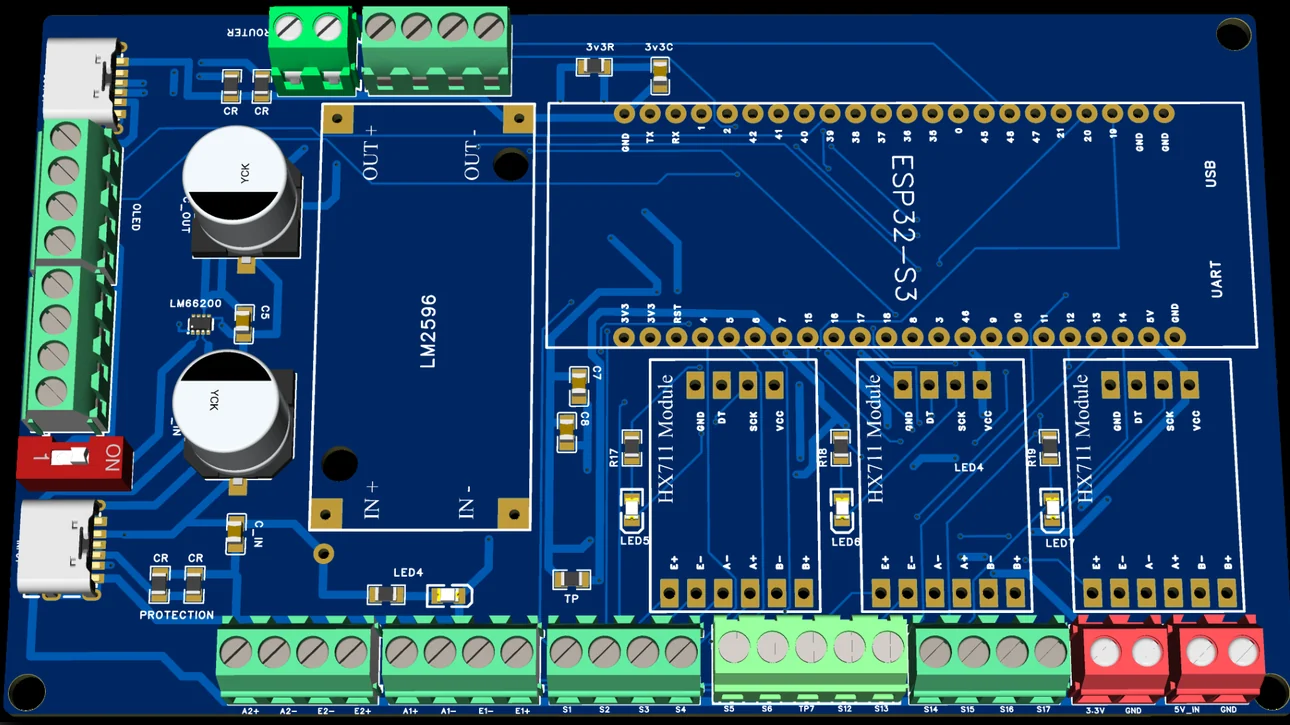
3D view of the tray's system PCB designed in EasyEDA
System PCB My EasyEDA design for the next revision (3D view).

What I did

  • Set up the company’s embedded/IoT work as its first engineer; led mechanical, software and networking engineers to a working prototype in two months.
  • Built the ESP32-S3 sensing: load cells cross-checked by switches, per-sensor calibration in flash.
  • Defined the device–backend Wi-Fi protocol and the 30 s heartbeat, with temperature alerts.
  • Designed the system PCB for the next revision in EasyEDA: ESP32-S3, three HX711 channels, LM2596 buck converter, LM66200 power switching, USB-C inputs.
  • Wired, soldered, tested and installed the prototype.

How it works

  • One bar load cell per row of 4 bottles (about 250 g each, 1.00 kg full).
  • A switch under every slot confirms each bottle, so weight and count must agree.
  • Changes are reported in the next 30 s heartbeat, not instantly — small messages, low power, no flood.
  • Runs on two swappable 5 V / 5000 mAh power banks, so the tray works without a cable in the fridge.
  • A second version replaced the load cells with 5 laser ToF sensors on separate I²C buses to cut cost.

04

Control · embedded · B.Sc. thesis · 2023

Two-wheel self-balancing robot

An inverted pendulum on two stepper-driven wheels: an IMU measures the tilt, a PID controller on an Arduino Nano drives the wheels under the body, and a phone steers it over Bluetooth.

  • Arduino Nano
  • MPU6050 IMU
  • PID
  • NEMA 17 + A4988
  • HC-05 Bluetooth
  • MATLAB / Simscape

04 · Self-balancing robot

Two wheels.
One angle to hold.

Sense · decide · drive

IMU in, PID on the Nano, step pulses out to two steppers.

A push

Something knocks it at the top deck…

Catch

8° forward — the wheels race forward to get back under it.

PID

It leans back to brake, then settles at 0°.

Bluetooth

From a phone: it leans to drive, turns with one wheel faster, leans back to stop.

Self-balancing robot

IMU · PID · steppers · Bluetooth.

0:00 / 0:22
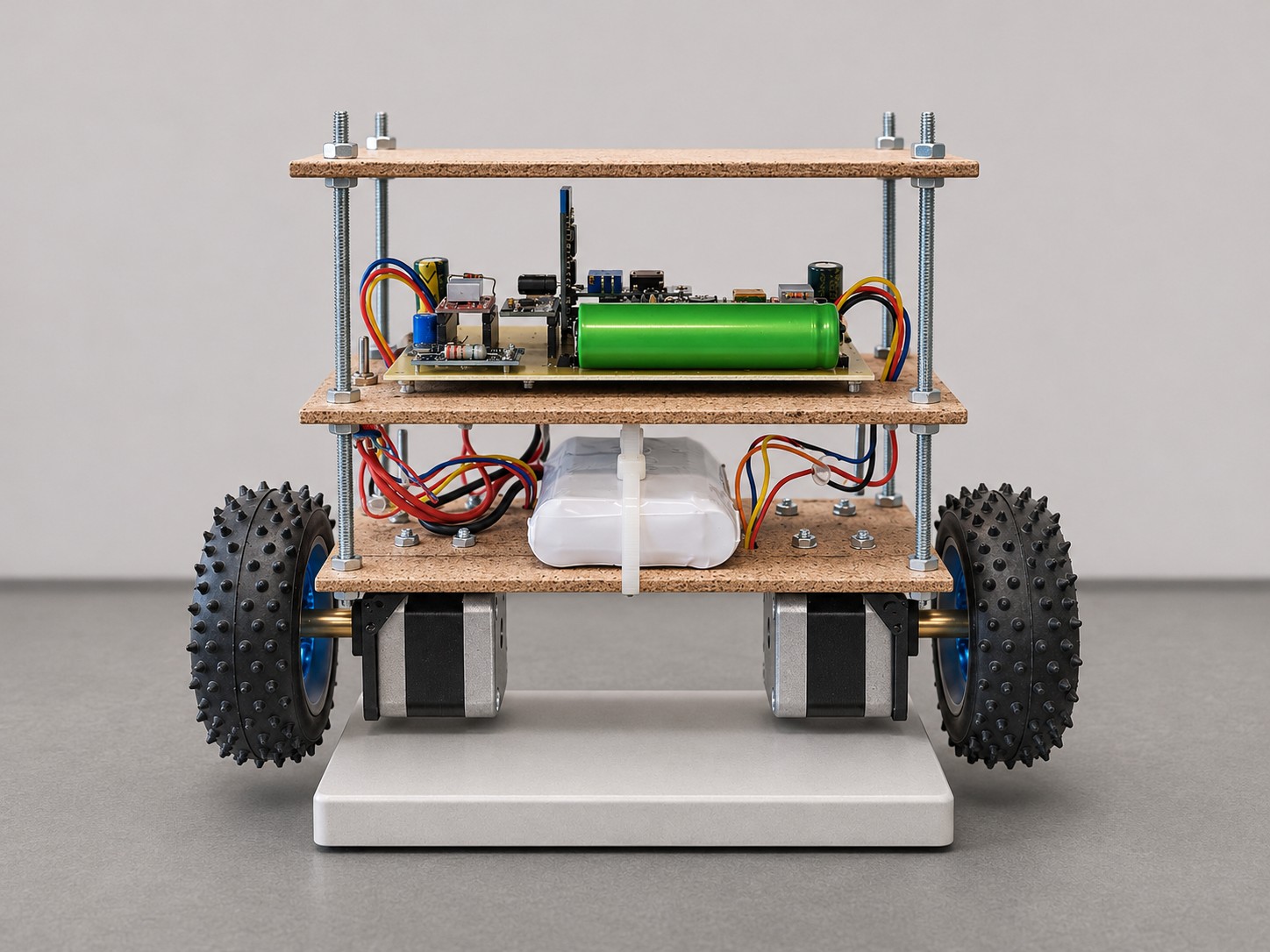
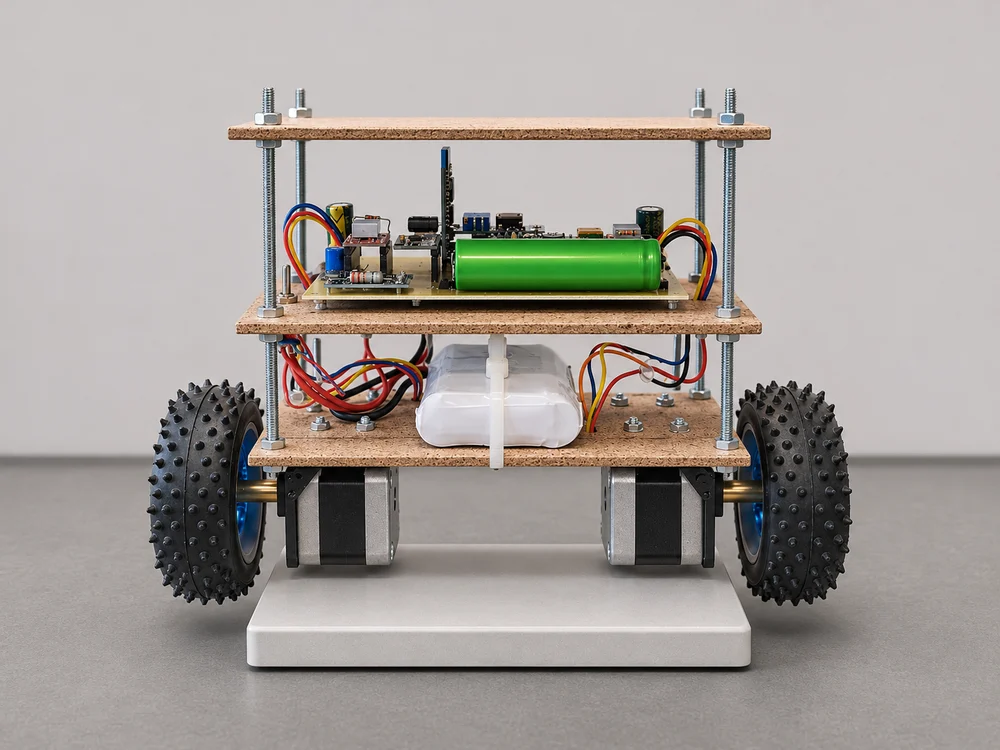
Photo of the real self-balancing robot, front view
The real robot Built for my B.Sc. thesis (photo retouched for a level front view).

What I did

  • Redesigned the mechanics: three decks on threaded rods, steppers under the bottom deck, battery low for a low centre of mass.
  • Integrated the electronics: Arduino Nano, MPU6050, two A4988 drivers, HC-05, 3S 11.7 V LiPo.
  • Modelled the robot as an inverted pendulum in MATLAB/Simscape to choose the controller.
  • Implemented and tuned the PID on the real robot, and fixed communication and power problems in testing.

How it works

  • The MPU6050 gives the tilt angle and the rate of tilt.
  • The PID turns the tilt error into a wheel acceleration; the Nano sends step pulses to the A4988s.
  • Wheels drive towards the lean, under the falling body — that is what keeps it up.
  • Phone commands over the HC-05 shift the balance point, so it leans to drive and turns with a wheel-speed difference.

05

Research · M.Sc. thesis · 2024 – 2025

Improved RRT path planning

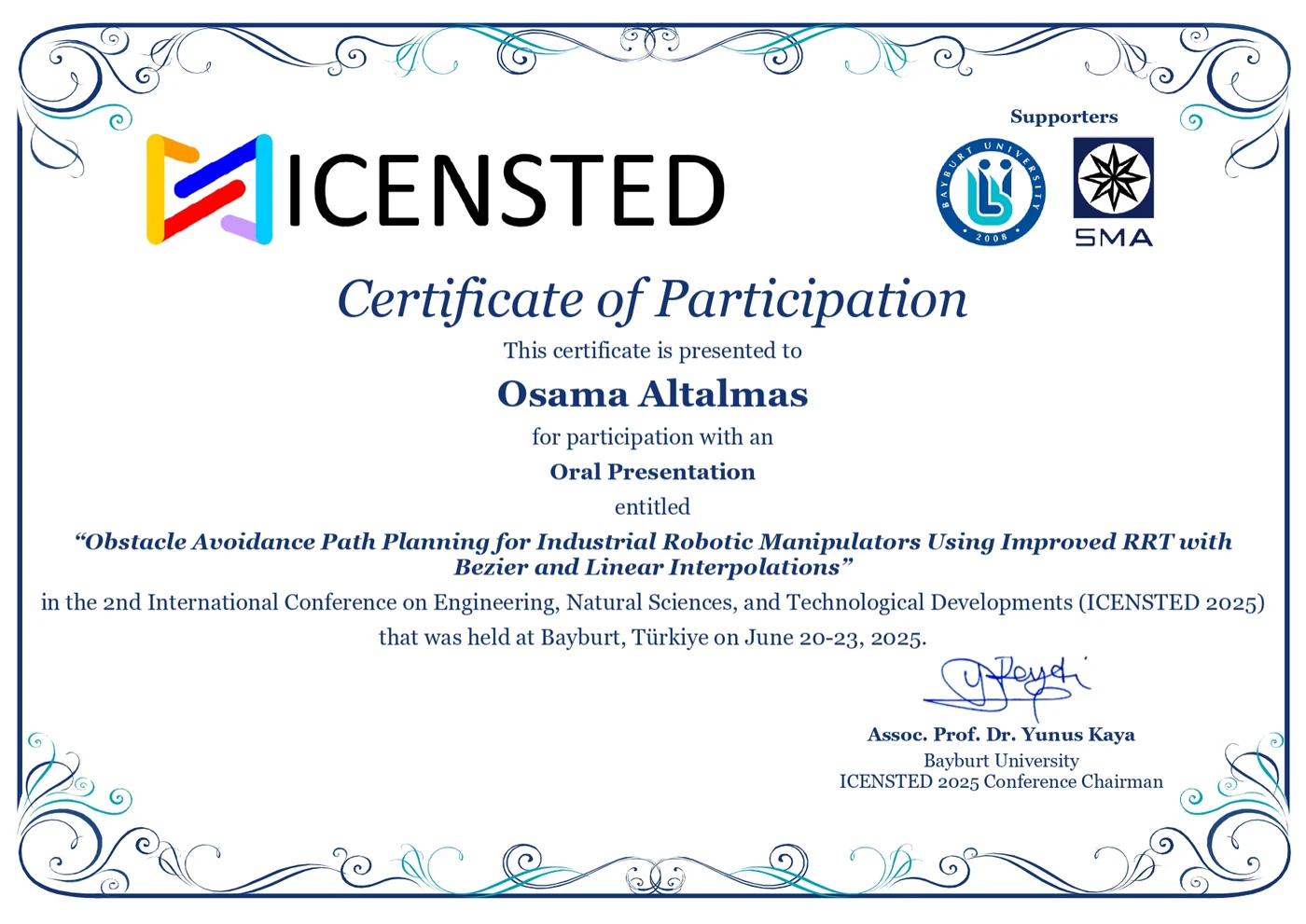
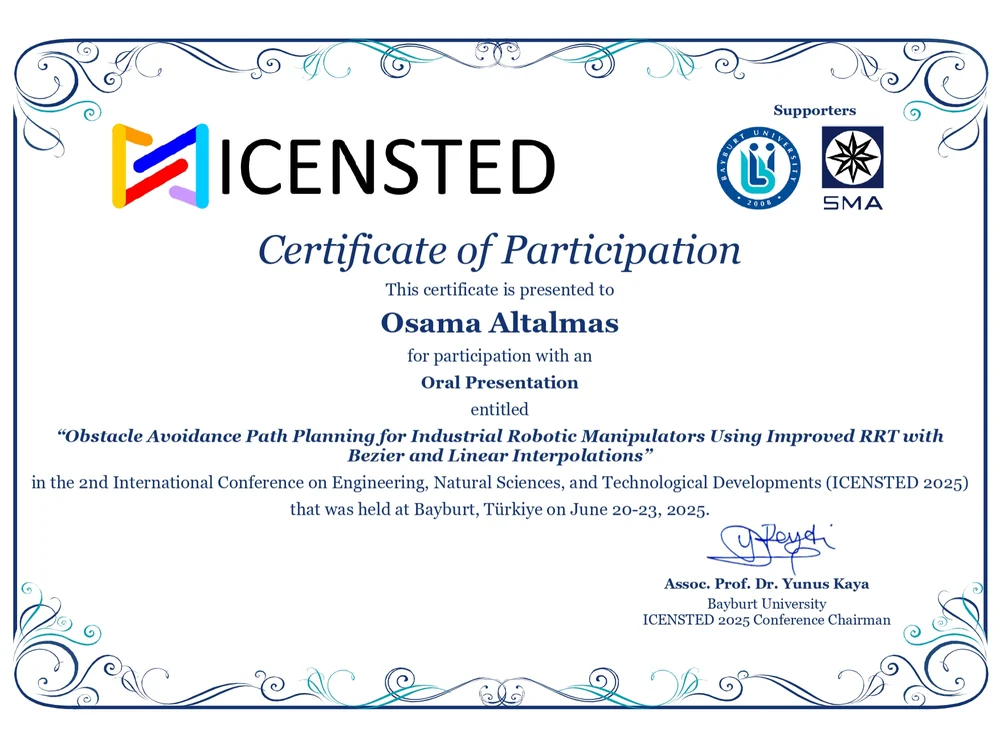
An RRT variant for industrial manipulators: goal-biased sampling, better parent selection and Bézier smoothing — published at ICENSTED 2025.

  • RRT / RRT*
  • Bézier smoothing
  • OpenManipulator-X
73.5 %less computation time than RRT*
67.9 %fewer iterations, over 50 runs
ICENSTED 2025 certificate of participation for the oral presentation of the paper
Certificate ICENSTED 2025 · oral presentation of the paper.

Contact

Let’s talk robots.

Message me on LinkedIn GitHub CV